
My Thoughts on EQ8
my experience so far with EQ8
DESIGNREVIEWS


In a previous post, I talked about other Quilt Design software. The one I have the most experience with is PreQuilt, and while I do quite enjoy PreQuilt, it wasn't doing as much as I'd like it to do. I do feel like most of my issues with PreQuilt were not the program itself, but the fact that I used it exclusively on iPad, and it just wasn't made for that.
So, I did get Eq8, and a computer so I could use it. Right on EQ8's website it lists the requirements, so if you have to get a new PC, be sure it's got what the program requires. I did also get the beginner class to help teach me all about this new software.
Initial Thoughts
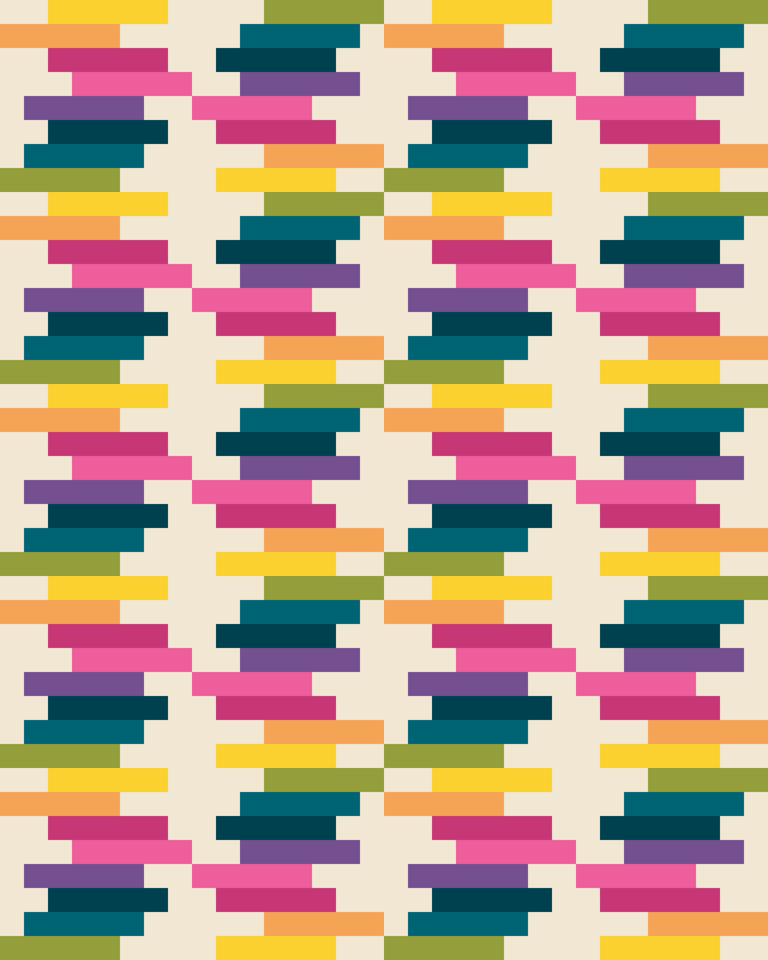
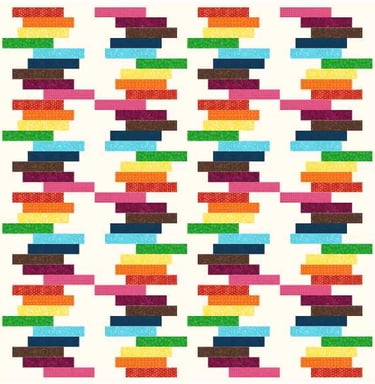
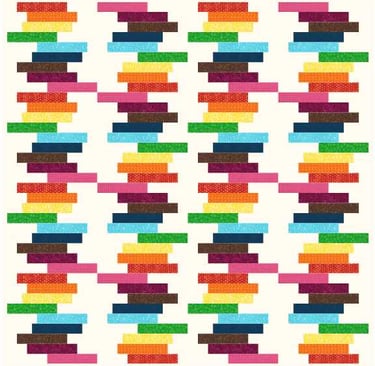
On the first day I downloaded EQ8, I wanted to see what I could do on my own. so I took a idea that I had just had a few days before, and I had designed it in PreQuilt. I wanted to compare the project in Eq8. This one was Sunday Scraps.
I liked that eq8 was fairly institutive and easy to use. I created a quilt, added blocks in the size I wanted, drew the blocks, added the blocks, colored the blocks in. My next step in PreQuilt would have been to click the Fabric Calculator button to see how much fabric I needed, and how to best cut the required pieces. I clicked around for several minutes and could not figure this out in Eq8. That's okay. I still had the basic beginner class to take.
Beginner At Home Class
The next day, I started the class. Before I started, I already decided I'd watch it on my iPad while having the design software open on the computer. That was one of the instructors first hints. I followed the steps. They were very methodical and slow. And since it's a pre-recorded video, you can pause at any time, re-wind, and try again. However, I already knew a bit about eq8, so I found my mind drifting, and I was playing around with things she'd not yet mentioned. At one point I even found myself checking my email! I'm not going to say the instructor was too slow, I just had worked ahead, so I found some of what she was saying repetitive. I can imagine some of my friends might need that though. I was always a good student and caught on quickly, but this type of instruction is good for a lot of people. She's very thorough. It's definitely created for beginners, both beginner designers, beginner computer users, and beginners with EQ8.
I did learn some from her though. Shortcuts on how to add color to all the blocks in the quilt at once? How to add them to alternating blocks. One of my favorite features is when you add more blocks to the quilt, somehow eq8 knows your pattern and continues the blocks (I just had 2 blocks alternating, but when I added 2 more rows, the pattern continued!) PreQuilt just loads in empty blocks, which is okay. You might want something different in those blocks, but if not, I did like this feature in EQ8.
What I like about EQ8
I appreciate that there are several ways to achieve the same result. This is similar to Microsoft Office products. there are buttons, sliders, and text boxes that you can use to change the size of the borders, for example. Any one of them works to resize the border.
I love that the fabric feature not only works, but is almost the default setting. In Prequilt, one of my main issues using it with the iPad is that i couldn't upload my own fabric to the quilts to get constant results. Sometimes it worked fine. Sometimes it did not. While using the solid color feature in Eq8 is easy to find, when you first start up the program, it shows various fabrics. I like that it already has fabric built into the library for you to use.
I like that you can re-color the quilt right on the quilt screen, which means each block, even if they're the exact same block, can have different colors. In PreQuilt, I had to duplicate the block, go into the block editor, change the colors, then add it to the quilt. This made scrappy designs, which I love, very difficult.
I like the various options you get to download the image of the quilt. You can change it from a very low DPI to 600dpi, and you can tell the program how big you want your image! In Prequilt, I only had 72 and 300-dpi settings and nothing else.
Even though it is quite expensive, after that one-time payment, the program is yours. No more monthly subscription fees!
I like the massive block- and fabric- library, but i just know there are some blocks and fabrics in there that I will never use. I'd like to be able to remove those. Additionally, I'd like to be able to add my favorites to a "favorite" category. Yes there is a favorites category, but I have not yet successfully added something to it, to find it there again later.
Eq8 is very popular, which means there's a lot of people out there who can help. Many people are familiar with the program and how it works.
I like the easy sashing and wide variety of borders available from EQ8
What I dislike about EQ8 (some of these might just be that I don't know how to do it yet)
When I made my first block (from Sunday Scraps) I'd designed it to have 9-rows to make an 18" block. I slightly re-designed it to have 8-rows for a 16" block. Sure I could easily resize the 18" block to a 16" block, but it still had 9-rows. I couldn't figure out how to edit the existing block, so I just had to create an entirely new block. No big deal, but I feel like there should be an easy way to edit the block.
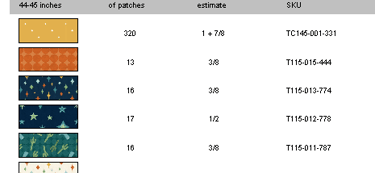
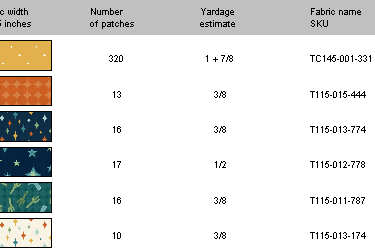
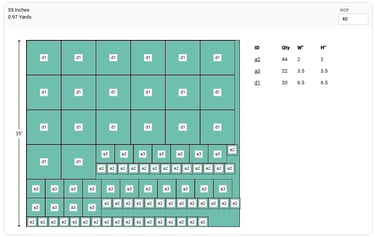
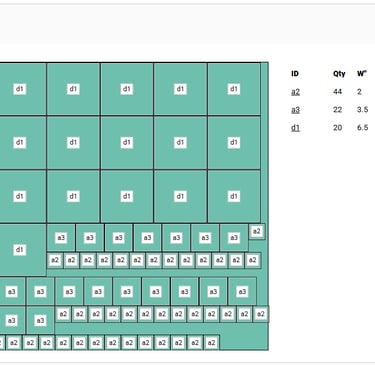
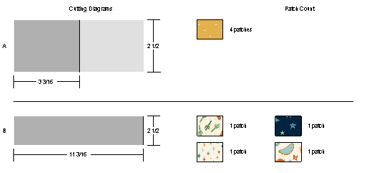
I do not like the fabric yardage calculator in EQ8.
First, I had trouble finding it. It's under the "Print" button. I didn't want to print it. I just wanted to see how much fabric I'd used. If I wanted to go in and change something, I'd have to download it all over again.
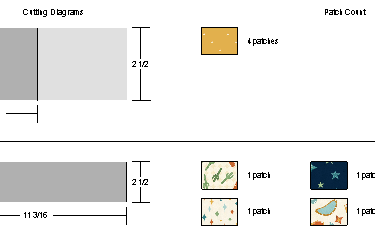
Second, it only shows how many blocks of that fabric you will need, and how much yardage you need. It does not tell me if it calculated that by cutting things vertically, horizontally, or if it calculated the flying geese by using the 4-at-a-time method, or just the snowball method.
It's missing the Backing and Binding calculations. Sure, those are easy enough to get elsewhere, but it's just not included and that seems like an oversight.
I'm missing my block calculator from PreQuilt. For those of you who haven't used PreQuilt, it very quickly shows at a glance, that my quilt has 10 HST, and 25 9-patches, and 32 4-patches, and 12 solid squares, etc. This helps me quickly write the directions for my quilt.
I also don't like that the quilts are just saved on my local machine and are not cloud-based. I enjoyed working on Prequilt while on vacation, visiting my family, or on my lunch break at work.
The Sketchbooks are another thing I'm not quite sure about. Each Sketchbook creates a new file on my computer, and they contain the individual blocks I've created for the quilt, the uploaded fabric files, and the finished quilt. I do not know if there is a limit on how big this file can be, but I imagine the computer would be slower if you just kept saving all your quilts in the same sketchbook.
This could just be an advanced feature that I haven't figured out yet, but I don't know how to share my custom blocks between quilts. I have a few blocks that I've designed that I really like using. I don't need all the premade blocks in EQ8. But I would like to be able to access the blocks I have designs from sketchbook to sketchbook so I don't have to create it all over again in each quilt.
There are a lot more advanced features that I'm sure I just haven't figured out yet. I do not like that the additional classes to learn these features require more money. The program itself is over $200, then about $100 for each of 3 different classes? I can't afford all that right now. PreQuilt has a lot of advanced features that took me a while to figure out, but they also offer free training, free videos, free blog posts explaining these features, and any time I've emailed customer service, Laura and Gar have gotten back to me within a few days. Prequilt is small, but they have excellent customer service. They never once failed to get back with me. Now I can't compare that to EQ8, because I never did reach out to them.
Not exactly related to the software itself, but the Newsletters. Oh goodness. I think I've gotten 10 emails a week from them, at least! Many of them seem to be saying very similar things. It's at least one a day, if not more. I want to stay informed about things, but this almost seems like too much.
Is it worth it?
In the end, I do like the software. I am still using PreQuilt while on my ipad as much as I can. I was already planning on purchasing EQ8, when I saved up for it before my discount. I am grateful for the discount, and have already used EQ8 to get quilt mock-ups to submit to fabric companies and magazines, so it was worth it. I've been able to do some things far quicker and easier in EQ8. However, I am still using other programs to supplement it where it lacks.
Edit: Within 12 hours of my posting this I did recieve an email from customer service addressed many of these issues. I will play around a bit more with your suggestions and give you another update soon!
I did receive a discount on EQ8 and the Beginner At Home Class in return for this honest review.

Contact
tiffany@tialynndesign.com
© 2012-2026. All rights reserved.